Kindle reading stats: how many books you’ve read, and when
Kindle’s Reading Insights shows your reading streaks and the titles you’ve read, but not hours or your full history. Amazon keeps much more: every reading session with the time you spent, and every title you finished. Request your Kindle data, and eBookSort turns it into books read and hours read by year and month, a reading heatmap, your longest streak and when in the day you read.
What Kindle shows you
On Kindle devices and in the Kindle app, Reading Insights shows how many weeks and days in a row you’ve read and the titles you’ve marked as read. It doesn’t show how many hours you read last year, which books took the most time, or how your reading changes month by month.
Your full Kindle reading history
Amazon records your reading sessions and will send them to you. Sign in to Amazon, go to its data request page, scroll to Kindle, click Submit Request and confirm the email. The step-by-step guide shows each screen.
Outside the US? Change amazon.com in that address to your local Amazon store, such as amazon.co.uk, amazon.ca or amazon.com.au.
In a day or two you get kindle.zip. Among many files, two matter for stats:
- reading-insights-sessions_with_adjustments.csv: one row per reading session, with the book, when you started and how long you read,
- UserUniqueTitlesCompleted.csv: every title you finished.
You can open both in a spreadsheet. With years of reading that’s thousands of rows, which is where eBookSort helps.
Turn it into stats with eBookSort
Open the email on your iPhone and tap the zip file. When the preview appears, tap the Share button, then choose eBookSort. You may need to scroll or tap More to find it. Downloaded it on a computer instead? Save the zip to iCloud Drive, AirDrop it to your iPhone or email it to yourself, then tap Browse for Zip File in eBookSort.
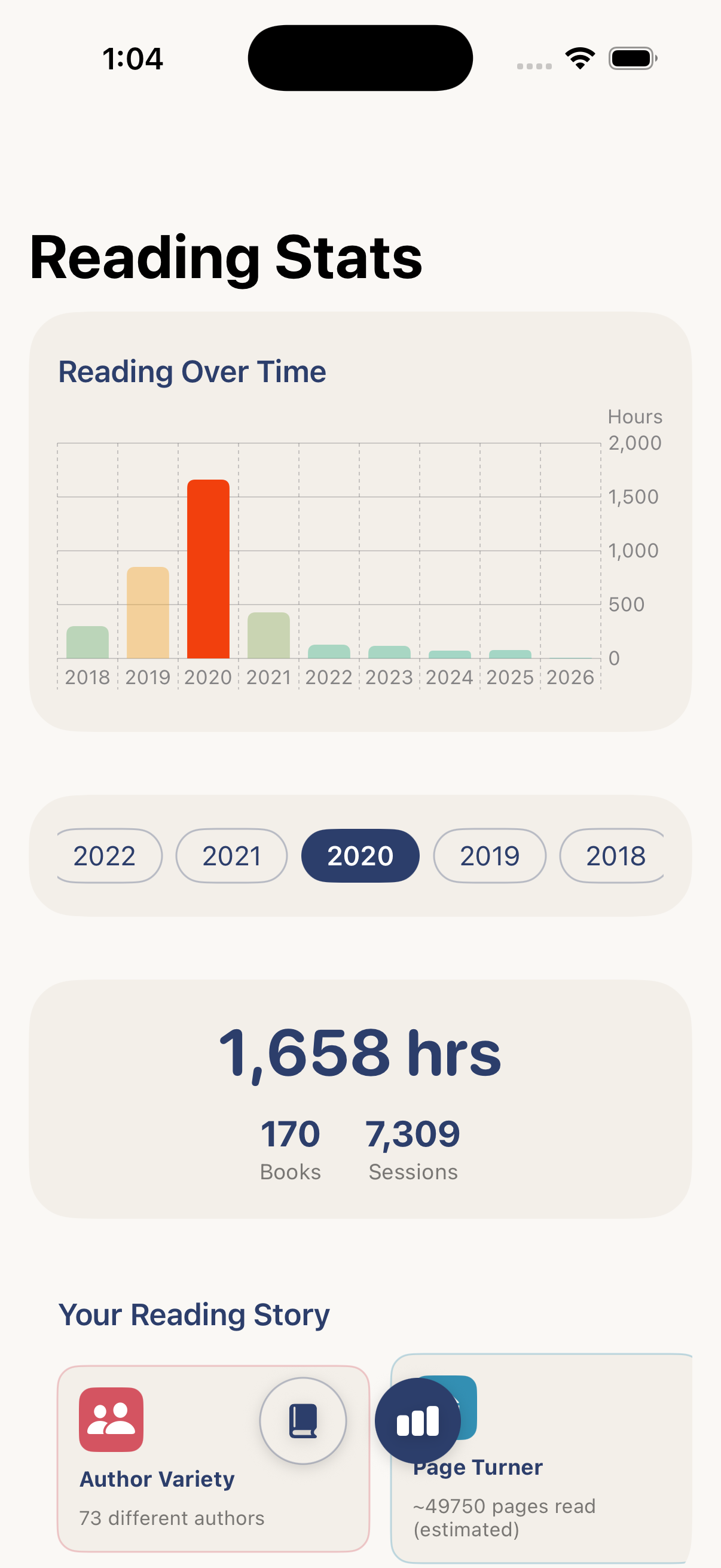
- Books read and hours read, by year,
- monthly reading hours and a calendar heatmap of the days you read,
- your longest streak,
- when you read: time of day and day of the week,
- hours by genre, since eBookSort also sorts your library into genres,
- fun facts and the achievements Amazon recorded.
Questions
How many books have I read on Kindle?
The completed-titles file in your Kindle data lists every book you finished. eBookSort counts them by year.
Does it count Kindle Unlimited and samples?
Reading sessions include books you no longer have, such as Kindle Unlimited loans. eBookSort keeps their hours and marks them as no longer in your library.
Can I add audiobooks?
Yes: import your Audible data too, and see Audible listening stats next to your reading.
What stays on your phone
eBookSort stores your library on your iPhone, with no account and no tracking. It only goes online to look up covers and book details, sending a book’s title and author to Google Books or Open Library. Read the privacy policy for details.