How to sort your Kindle library by genre
The Kindle app doesn’t group your library by genre. To get that view, request your Kindle data from Amazon, wait for the email, then open the file in eBookSort on your iPhone. It sorts your books into genres automatically. You’ll spend about five minutes on it, plus a day or two waiting for Amazon.
Can you do this in the Kindle app?
Not directly. Kindle can sort your library by things like title, author and how recently you read a book, and you can build your own collections, but it has no view that groups everything by genre.
If you only own a few dozen books, making collections by hand is a free way to get there. With hundreds of books, that’s a lot of tapping. That’s the job eBookSort does for you: it’s a book sorter that works from the data Amazon already keeps about your library.
1. Ask Amazon for your Kindle data
Sign in to Amazon, then go to its data request page. Scroll down to Kindle and click Submit Request. Amazon will email you, so open that message and tap Confirm Data Request.
Outside the US? Change amazon.com in that address to your local Amazon store, such as amazon.co.uk, amazon.ca or amazon.com.au.
2. Wait for the email
In a day or two, you’ll get an email with an attachment called kindle.zip. If there’s also a .csv file, you can ignore it. You only need to do this once, unless you want to add newer purchases later.
3. Open the file in eBookSort
Open the email on your iPhone and tap the zip file. When the preview appears, tap the Share button, then choose eBookSort. You may need to scroll or tap More to find it.
Downloaded it on a computer instead? Save the zip file to iCloud Drive, AirDrop it to your iPhone, or email it to yourself. Then tap Browse for Zip File in eBookSort.
4. Browse your books by genre
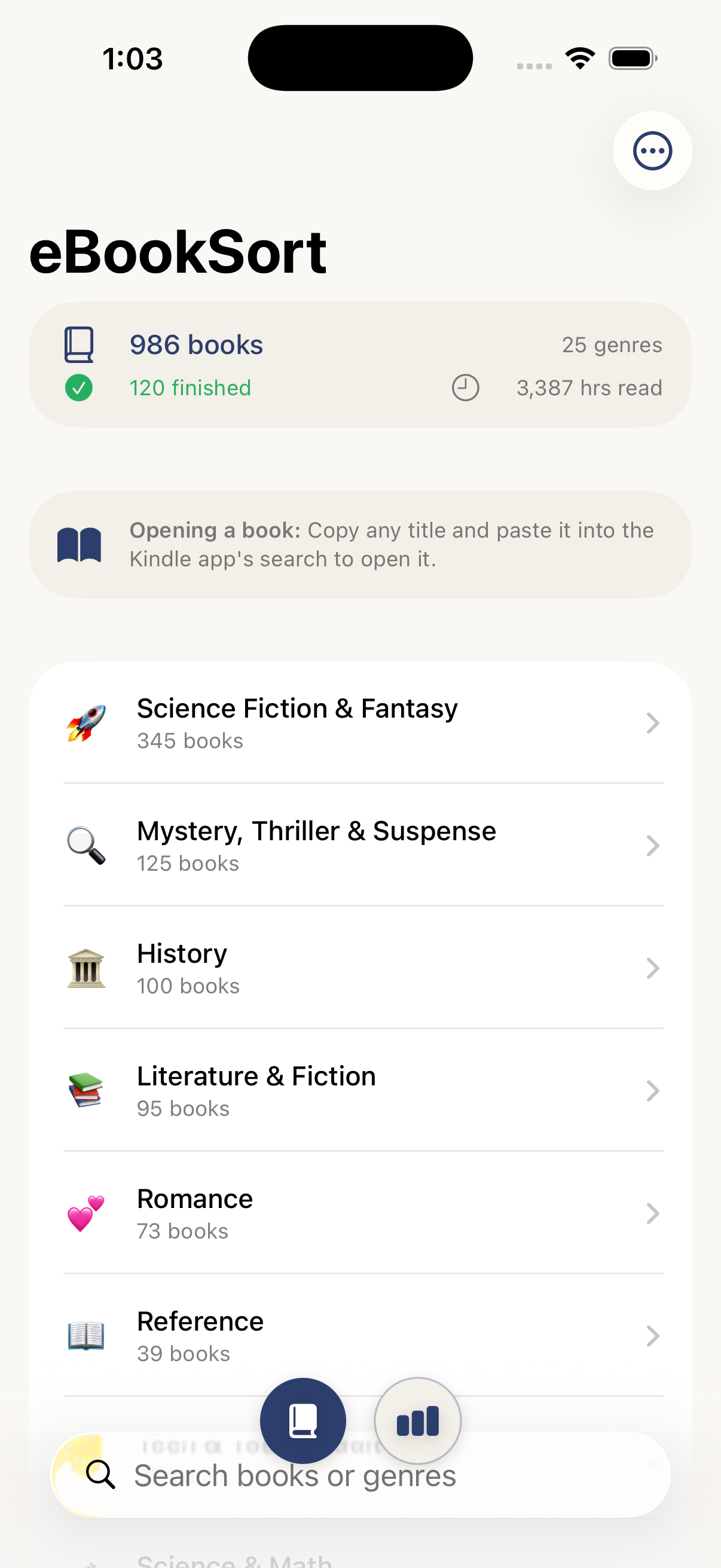
eBookSort sorts your books as they import, then shows your library as a list of genres. Tap a genre to see its books. From there you can re-sort them by title, author, series, date purchased or reading time.
5. Fix anything in the wrong place
Genres come from Amazon’s data, which isn’t always perfect. Most books land in the right place, but a few might not, and some may end up in Uncategorized.
- Move books yourself: open a genre, tap the sort and move menu, choose Select & Move, then pick another genre or create a new one.
- Sort the leftovers by author: Auto-Categorize by Author moves books from Uncategorized into the genre of other books by the same author.
What else you get
- Series in order: eBookSort identifies Kindle series and reading order, so you can find the next book.
- Reading stats: yearly charts, a reading heatmap and more, from your Kindle data.
- Your other libraries: you can add Apple Books too, and browse everything as one ebook collection. Apple’s data can take up to a week to arrive. Audible imports add listening stats, but audiobooks stay in Uncategorized because Audible’s export has no genres.
What stays on your phone
Your library is stored on your iPhone, with no account. Amazon’s export doesn’t include covers, so eBookSort looks them up online, and they fill in gradually. To find a Kindle cover, it sends the book’s title and first author to Google Books or Open Library. Read the privacy policy for details.